Festive Gaming Joy: Smart Ways to Blend Holiday Spirit With Your Gaming Setup
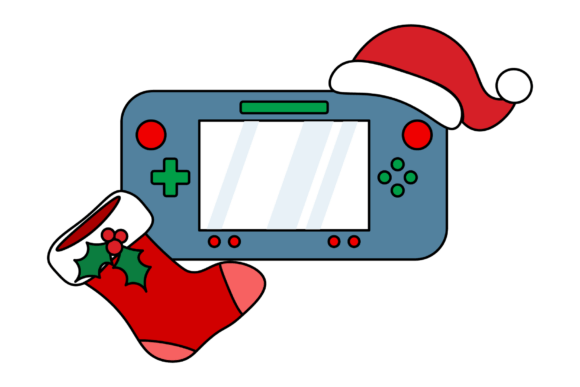
There is something undeniably cheerful about seeing a handheld gaming console nestled beside a plush stocking, a tiny Santa hat perched on top. It is a simple image, but it captures a growing trend—gamers who want their holiday decorations to reflect their passion. Festive Gaming Joy is not just about slapping a bow on a device. It is about thoughtfully weaving seasonal warmth into your gaming space without compromising function, comfort, or the longevity of your equipment. Many people jump into this idea enthusiastically, only to discover that glitter, adhesive hooks, or poorly placed décor created more headaches than holiday magic.
Whether you are a content creator staging the perfect seasonal thumbnail, a remote worker whose desk doubles as a gaming station, or a parent surprising a child with a themed setup, understanding how to do this well matters. The goal is to capture that cozy, celebratory feeling while keeping your gear safe and your space genuinely usable.
Why Festive Gaming Joy Resonates With So Many People
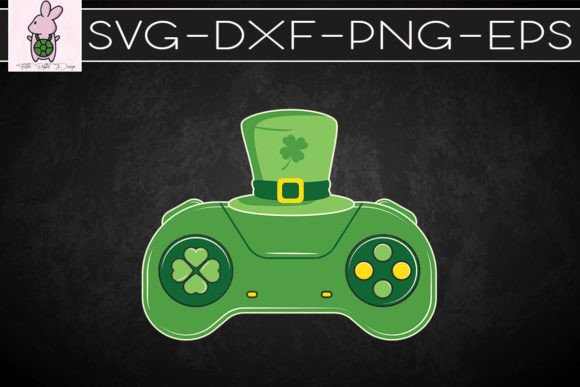
The appeal runs deeper than aesthetics. For many adults, gaming is a cherished escape and a nostalgic thread connecting childhood wonder to present-day relaxation. Adding holiday elements to a console, desk, or streaming backdrop becomes a way to mark the season personally. It signals to others—family, viewers, or online friends—that you are embracing the holidays on your own terms. A handheld console with a miniature Santa hat, for instance, instantly communicates playfulness. A stocking hung near a gaming shelf ties tradition to a modern hobby. These visual cues create a sense of belonging and lighthearted identity that generic decorations cannot match.
However, the line between charming and chaotic is thinner than most realize. Without a clear plan, well-intentioned decorating can obstruct screens, trap heat, leave sticky residue, or simply look cluttered rather than curated. The good news is that avoiding these outcomes is straightforward once you know what to watch for.
Overlooking Heat and Ventilation Risks
One of the most frequent mistakes involves draping fabric, faux fur, or plush decorations directly over ventilation grilles. A Santa hat resting on top of a console might look adorable in a photo, but if it blocks air intake or exhaust ports during active gameplay, internal temperatures can rise quickly. Modern handhelds and consoles are engineered with specific thermal pathways. Obstructing them, even partially, can lead to performance throttling, fan strain, or long-term hardware degradation. This is especially true during extended holiday gaming sessions when rooms are already warmer from heating systems and gatherings.
Better approach: Position decorative items so they frame the device rather than covering functional areas. Use a small stand or clip to hold the hat slightly above the console, allowing full airflow. If you want a cozy fabric element nearby, drape it along the shelf edge or behind the device, not on it. The festive look remains intact, and your hardware stays cool under pressure.
Using Adhesives That Damage Surfaces
It is tempting to attach tiny ornaments, battery-operated fairy lights, or sticky bows directly onto a console or controller. Many people discover too late that strong adhesives can strip paint, leave gummy residue, or weaken textured grips on controllers. Limited-edition consoles with special finishes are particularly vulnerable. Even removable adhesive strips can react with certain plastics over time, causing discoloration that becomes obvious once decorations come down in January.
Better approach: Opt for non-adhesive wrapping techniques. Removable silicone sleeves or clear protective cases let you slide festive decals, cut paper shapes, or thin fabric between the case and the device. This gives you creative freedom with zero risk of surface damage. For controllers, consider holiday-themed thumb grip caps or interchangeable faceplates if available. These small swaps deliver seasonal flair without permanent alteration.
Prioritizing Appearance Over Practical Playability
Some enthusiasts go all-in on elaborate holiday setups only to find that their decorated space is uncomfortable or impractical for actual gaming. A stocking hung too close to a monitor might brush against the screen during intense moments. Garlands draped across a keyboard tray can snag mouse cables or jab wrists. Flashing lights positioned near eye level create distracting glare. The result is a setup that photographs beautifully but frustrates anyone who tries to use it for more than ten minutes.
Better approach: Test your layout by playing a game for at least thirty minutes before finalizing any arrangement. Notice what touches your hands, enters your peripheral vision, or restricts movement. Keep decorations within your decorative zone—shelves, wall space, and desk borders—while leaving your active zone clear. This preserves the festive atmosphere without sacrificing comfort or competitive edge.
Choosing Decorations That Actually Enhance the Experience
Not all holiday décor is created equal, especially in a gaming environment where cables, screens, and sensitive electronics coexist. Before buying or repurposing items, consider material, placement, and maintenance.
Material Matters More Than You Think
Cheap tinsel sheds micro-glitter that finds its way into speaker grilles, charging ports, and keyboard switches. Faux snow spray can drift as fine particles and settle on screens or inside ventilation openings. Even certain scented candles or oils used nearby can leave airborne residue that gradually coats internal components. These are not hypothetical worries; repair technicians regularly encounter devices clogged with festive debris months after the holidays end.
Choose low-shed materials whenever possible. Felt, smooth cotton, silicone ornaments, and high-quality artificial greenery with secure flocking hold up better around electronics. If you love sparkle, select decorations with larger, firmly attached glitter flakes or sealed metallic finishes rather than loose particulates. A quick shake test over a dark surface reveals how much a decoration sheds before you bring it near your gear.
Lighting That Works With Screens, Not Against Them
Ambient lighting can transform a gaming corner into a cozy winter haven, but placement and color temperature deserve attention. Bright white or cool-blue LED strands near a monitor can wash out screen contrast and cause eye strain. Rapidly flashing modes, while festive, may trigger discomfort during fast-paced gameplay. The most effective holiday gaming lighting uses warm, soft tones positioned behind or beside the display—never directly facing it.
Bias lighting strips with adjustable warmth are a practical investment. They reduce eye fatigue during late-night sessions while adding a subtle holiday glow. Pair them with a few small, static-lit decorative pieces on shelves to create depth without visual chaos.
The Hidden Value of Themed Gaming Stockings
A festive stocking is a classic symbol, and incorporating one into a gaming setup offers more than decorative charm. It provides functional storage. Small accessories like charging cables, earbuds, game cartridges, or SD card cases tend to clutter desks. A well-placed stocking keeps these items organized and within reach while contributing to the holiday scene. For streamers or content creators, a stocking filled with themed props becomes a handy on-camera element for giveaways, unboxings, or community shout-outs.
When selecting a stocking, avoid hanging it from fragile monitor arms or console stands that cannot support weight. A sturdy shelf hook, wall-mounted peg, or a dedicated stand prevents accidents. If the stocking is heavy with items, place it somewhere it will not swing into equipment if bumped.
Buying or Downloading Festive Gaming Content Wisely
Digital storefronts overflow with holiday-themed games, skins, wallpapers, and interface packs during the season. The excitement of a sale or a limited-time release can lead to impulse purchases that sit unused. Before buying, check system compatibility carefully—seasonal DLC for one platform may not transfer to another. Read user reviews that mention performance, as some themed content adds visual effects that impact frame rates on older hardware.
Free downloads carry their own risks. Third-party wallpaper sites or "festive mod" packages sometimes bundle unwanted software. Stick to official storefronts or well-known community hubs with active moderation and user feedback. A bit of caution preserves both your device security and your holiday cheer.
Staging Photos and Content Without Misleading Your Audience
If you plan to share your festive gaming setup on social media or use it for marketing, honesty about the arrangement builds trust. Some creators overly stage scenes—showing consoles running games they are not actually playing, or using props that suggest capabilities the device lacks. Viewers notice inconsistencies, and the backlash can outweigh the engagement boost.
Capture genuine moments. If your handheld console wears a Santa hat, show it in a natural setting—maybe paused mid-game on a cozy blanket, with a steaming mug nearby. Authenticity resonates far more than perfection. Mention if certain decorations are for photography only and not suitable for active use. That transparency positions you as helpful and credible, qualities that matter for anyone building a brand or community around gaming content.
What to Check Before Committing to a Festive Gaming Look
Take a few minutes to evaluate your space and gear before purchasing anything. Look at your console or PC case and note the exact location of vents, ports, and buttons. Measure clearance around your monitor and keyboard area. Think about daily routines—do you frequently dock and undock a handheld? Do pets or children access the room? These factors shape sensible decoration choices.
Consider how long you want the setup to last. If you enjoy seasonal changes, invest in reusable, durable items that pack flat for storage. If you prefer a permanent touch of festive gaming joy year-round, focus on subtle elements like themed keycaps, a holiday-colored desk mat, or a small figurine that blends with your everyday aesthetic. There is no rule demanding an all-or-nothing approach. Sometimes a single well-chosen detail delivers more satisfaction than an overstuffed display.
Building a Tradition That Grows With You
The most rewarding aspect of festive gaming joy is how it can evolve. One year might feature a handheld console dressed in a tiny scarf and hat, placed beside a stocking filled with retro cartridges. The next year could bring a coordinated theme across multiple devices, shared online with friends who contribute their own ideas. This becomes a personal tradition—one that celebrates both the holiday season and the role gaming plays in your life.
Stay open to adjusting your approach. What worked in a small apartment may need rethinking in a larger home office. New consoles arrive with different shapes and cooling requirements. Children grow and want to participate. Each change is an opportunity to refine your setup, avoiding past mistakes while discovering fresh ways to express seasonal spirit.
Ultimately, Festive Gaming Joy succeeds when your space feels welcoming, your equipment stays protected, and your holiday gaming sessions remain the relaxing escape they are meant to be. Thoughtful choices make the difference between a setup that causes regret and one that brings genuine warmth to the coldest months of the year.